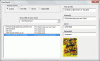
Dim f, titre, col, choix1()
Option Compare Text
Private Sub UserForm_Initialize()
  Set f = Sheets("Liste")
  Me.OptionButton1 = True
  titre = "Acteur": AlimComboBox
End Sub

Private Sub OptionButton1_Click()
  titre = "Acteur": AlimComboBox
End Sub

Private Sub OptionButton2_Click()
  titre = "Titre de film": AlimComboBox
End Sub

Sub AlimComboBox()
  col = Application.Match(titre, f.[A1:E1], 0)
  If IsError(col) Then Exit Sub
  Set mondico = CreateObject("Scripting.Dictionary")
  mondico.CompareMode = vbTextCompare
  a = Application.Transpose(f.Cells(2, col).Resize(f.Cells(65000, col).End(xlUp).Row).Value)
  For i = LBound(a) To UBound(a)
    If a(i) <> "" Then
       b = Split(a(i), ",")
       For j = LBound(b) To UBound(b)
         mondico(b(j)) = ""
       Next j
    End If
  Next i
  choix1 = mondico.keys
  Call Tri(choix1, LBound(choix1), UBound(choix1))
  Me.ComboBox1.ListIndex = -1
  Me.ComboBox1.List = choix1
  Me.ComboBox1.SetFocus
End Sub

Private Sub combobox1_Change()
  If Me.ComboBox1.ListIndex = -1 And IsError(Application.Match(Me.ComboBox1, choix1, 0)) Then
   Me.ComboBox1.List = Filter(choix1, Me.ComboBox1.Text, True, vbTextCompare)
   Me.ComboBox1.DropDown
  Else
    ComboBox1_click
  End If
End Sub

Private Sub ComboBox1_DblClick(ByVal Cancel As MSForms.ReturnBoolean)
  AlimComboBox
End Sub

Private Sub ComboBox1_click()
   bd = Range("A2:E" & [A65000].End(xlUp).Row)
   c = Application.Match(titre, f.[A1:E1], 0)
   Me.ListBox1.Clear
   j = 0
   For i = LBound(bd) To UBound(bd)
     If InStr(bd(i, c), Me.ComboBox1) > 0 Then
        Me.ListBox1.AddItem bd(i, 1)
        Me.ListBox1.List(j, 1) = bd(i, 2)
        Me.ListBox1.List(j, 2) = bd(i, 3)
        Me.ListBox1.List(j, 3) = bd(i, 4)
        j = j + 1
     End If
   Next i
End Sub

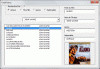
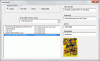
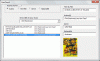
Private Sub ListBox1_Click()
 Me.TextBox1 = Me.ListBox1
 Me.TextBox2 = Me.ListBox1.Column(1)
 Me.TextBox3 = Me.ListBox1.Column(2)
 Me.TextBox4 = Me.ListBox1.Column(3)
 nom = Me.ListBox1
 répertoire = "c:\photos\"
 If Dir(répertoire & nom & ".jpg") <> "" Then
  Me.Image1.Picture = LoadPicture(répertoire & nom & ".jpg")
 Else
  Me.Image1.Picture = LoadPicture
 End If
End Sub